Message contacts directly
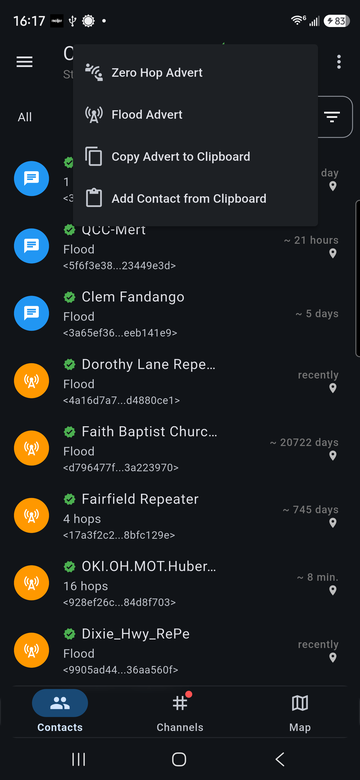
The Contacts tab lists the nodes your radio knows: people (chat nodes), repeaters, room servers and sensors. Each row shows the route to it (Flood or a hop count), part of its public key and when it was last heard.
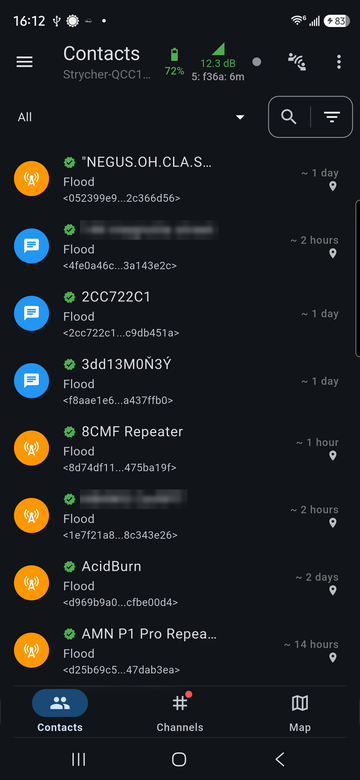
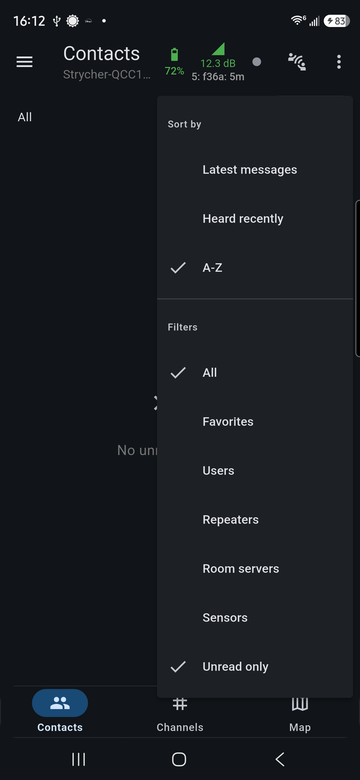
Use the filter button at the top right to sort by latest message, last heard or name, and to show only favorites, one kind of node, or contacts with unread messages.
Add a contact
Nodes are added when your radio hears their advert, if automatic adding is on for that kind of node (Settings > Contacts). Nodes heard but not added are in the menu at the top right under Discovered Contacts.
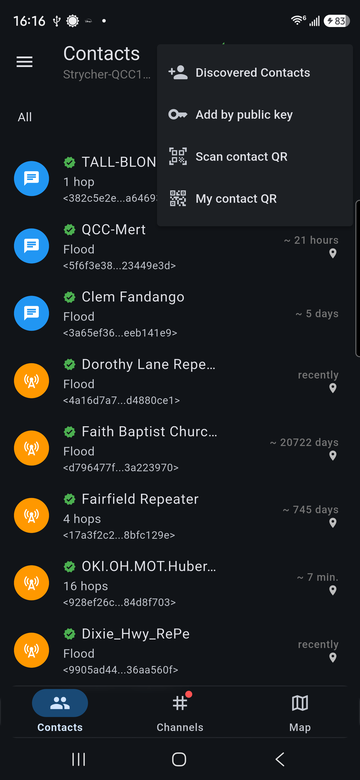
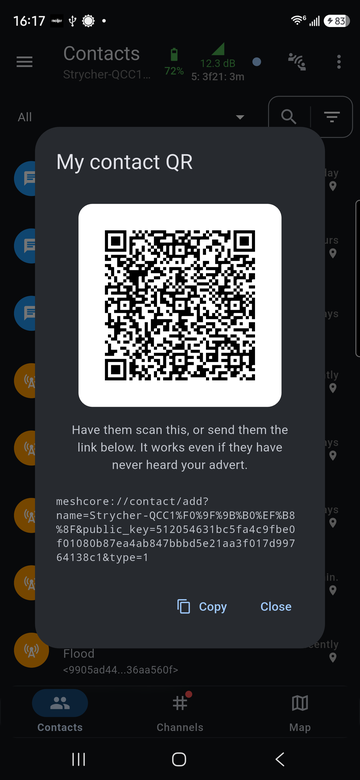
The same menu can add a contact by public key or by scanning their QR code, and shows My contact QR for others to scan. The QR's link works even if the other person has never heard your advert.
Let others find you
The broadcast button next to the menu sends your advert so other radios can add you:
- Zero Hop Advert reaches only radios that hear you directly.
- Flood Advert is repeated across the mesh.
The same menu can copy your advert to the clipboard, or add a contact from an advert someone else copied.
Send a direct message
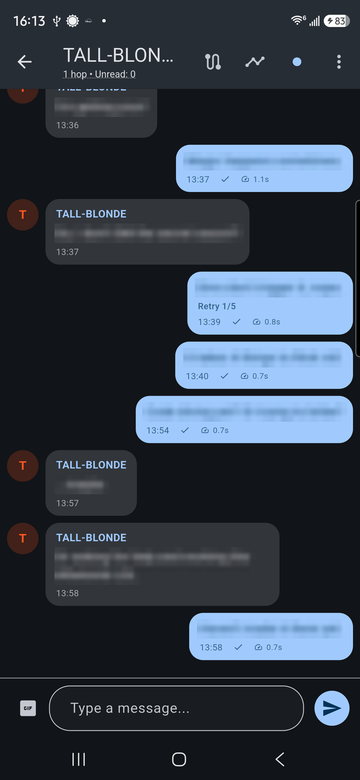
Tap a chat contact to open the conversation. Your sent messages show a check mark once delivery is confirmed, and the round-trip time. A message that needed another try shows its retry count.
Routing
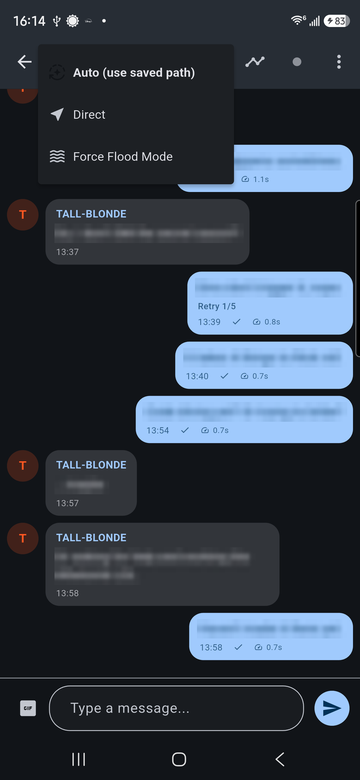
The route button at the top of a chat chooses how messages reach this contact:
- Auto (use saved path): use the route learned from earlier messages, and flood when there isn't one.
- Direct: send with no repeaters. The message arrives only if the contact's radio hears yours directly.
- Force Flood Mode: always flood.
Contact menu
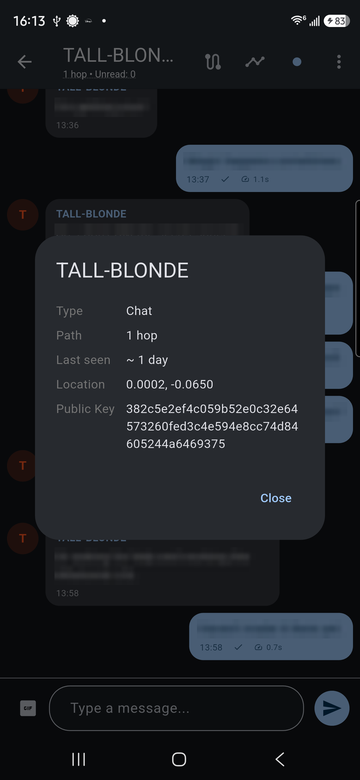
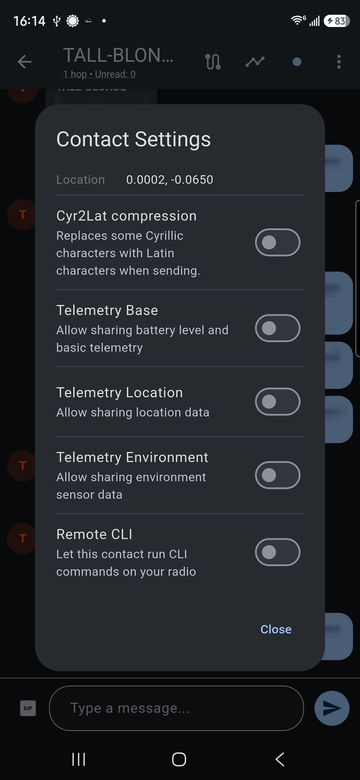
The menu at the top right of a chat has Contact Info, Telemetry, Contact Settings, Clear Chat and Block.
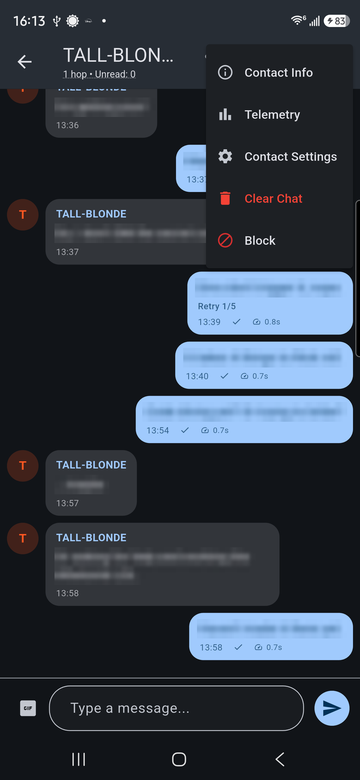
Contact Info shows the node type, route, last-heard time, location and full public key.
Contact Settings controls what this contact may receive from your radio: battery and basic telemetry, location, environment sensors, and whether they may run CLI commands on your radio (Remote CLI).
Blocked contacts are listed under Settings > Blocked.