Use channels
A channel is a group conversation. Everyone whose radio holds the same channel key can read it. The Channels tab lists the channels stored on your radio, with a red badge for unread messages.
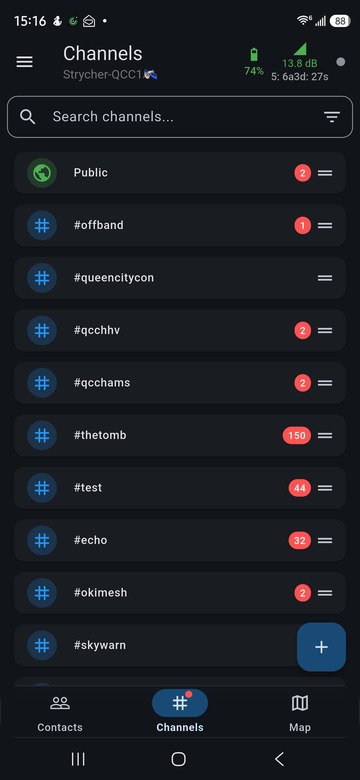
Kinds of channel
| Kind | Who can read it |
|---|---|
| Public | Every MeshCore radio. The app won't delete it, and Offband firmware keeps it in the first slot. |
Hashtag (#name) |
Anyone who joins the same name. The key is made from the name, so nothing secret is shared. |
| Private | Only people you give the secret key to, by typing it in or by sharing a QR code. |
Add a channel
Tap + at the bottom right, then choose to create a private channel, join a private channel by its key, join the Public channel, or join a hashtag channel by name. Your radio has a fixed number of channel slots.
Read and send
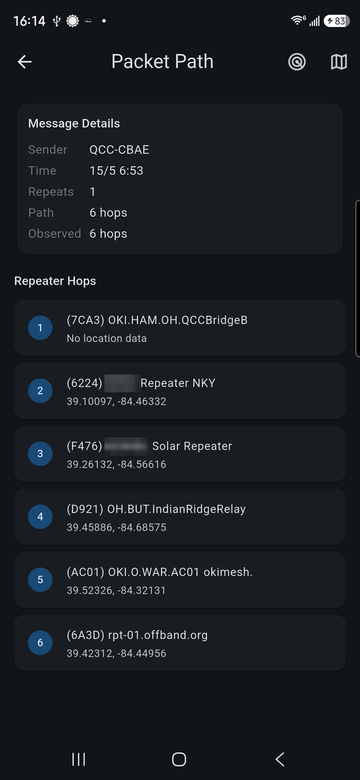
Tap a channel to open it. With message tracing on (Settings > App Settings > Enable Message Tracing), each message also shows its time, how many hops it took and the repeaters it came through.
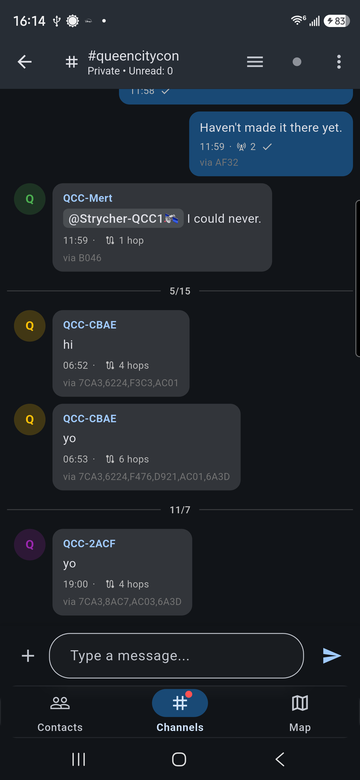
Type @ to mention someone; the app suggests recent senders and contacts. Tap a
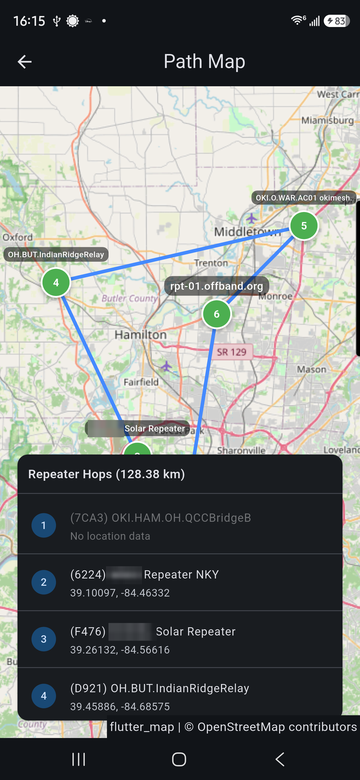
message's hop count to see its full route, hop by hop, and the same route on a map.
Channel actions
Long-press a channel (right-click on desktop) to open its actions.
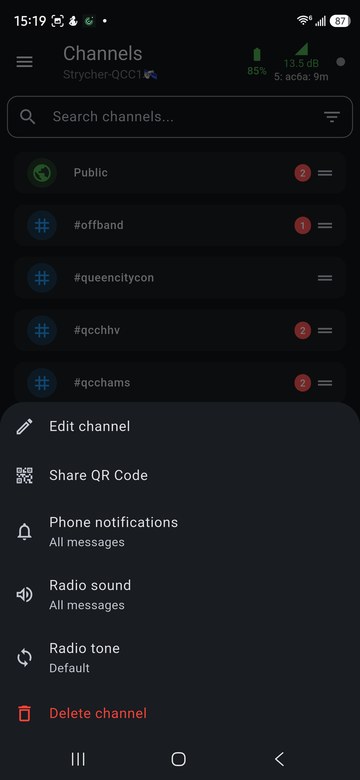
- Edit channel: rename it, or change a private channel's key. Renaming a hashtag channel changes its key, because the key comes from the name. Whenever the key changes, the app asks whether to keep the message history (it moves to the new key) or delete it.
- Share QR Code: show a code another person can scan to join.
- Phone notifications, Radio sound, Radio tone: see Notifications, sounds and radio tones.
- Delete channel: removes it from the radio and deletes its message history.
Drag the handle on the right of a channel to change the order of the list.
In a channel
The menu at the top right of an open channel has the notification, sound and tone settings, Set Region Scope and Clear Chat.
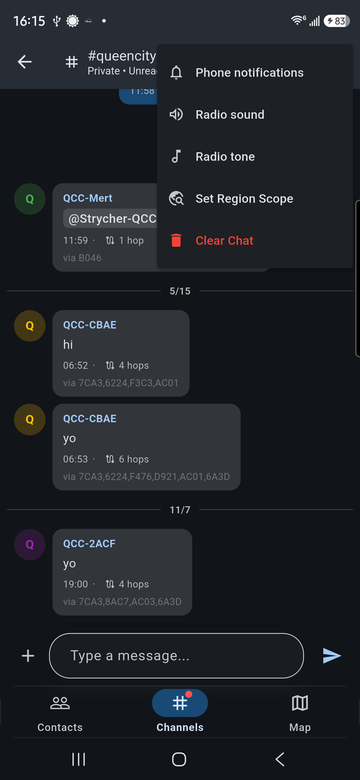
Set Region Scope limits how far your messages in that channel travel: only repeaters that allow the chosen region pass them on. It needs repeaters in your area that have regions set up.